
Oilnote

Service and fuel log for iPhone

Your car's history.
In a file you own.

Oilnote keeps every oil change, repair and fill-up on your iPhone and in your own iCloud. Bring the CSV from the app that let you down, and export everything again whenever you like.

Coming soon iPhoneiOS 17 and later
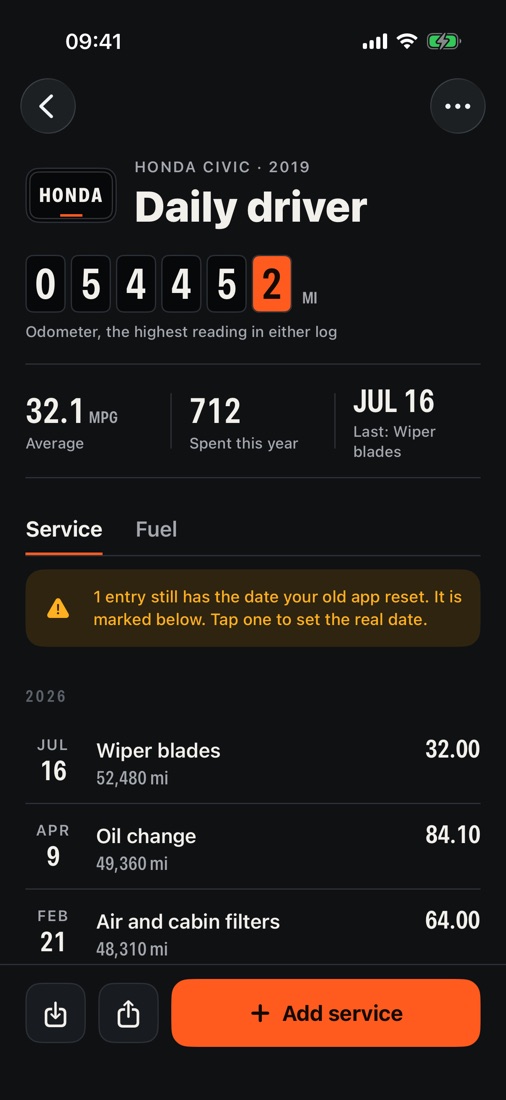
Oilnote's service log for a 2019 Honda Civic: odometer 54,452 miles, 32.1 mpg average, and a list of services with dates and costs
Account
None needed
Subscription
Never
Export
Free, as CSV
Counts in
mi, km or hours

Why it exists

Years of records. Gone overnight.

In the last few months, dozens of Vehicle Maintenance Tracker users have written that every service date in their log changed to 1 January 1900 or 0001. Fuelly, one of the oldest fuel logs on the iPhone, has not been updated since June 2024.

When the app holding your oil changes stops working, the way out should be a file you can take somewhere else. Oilnote is built around that file.

Broken dates are caught on import, not copied. Keep the row marked so you can fix it later, or skip it. Nothing is saved until you say so.
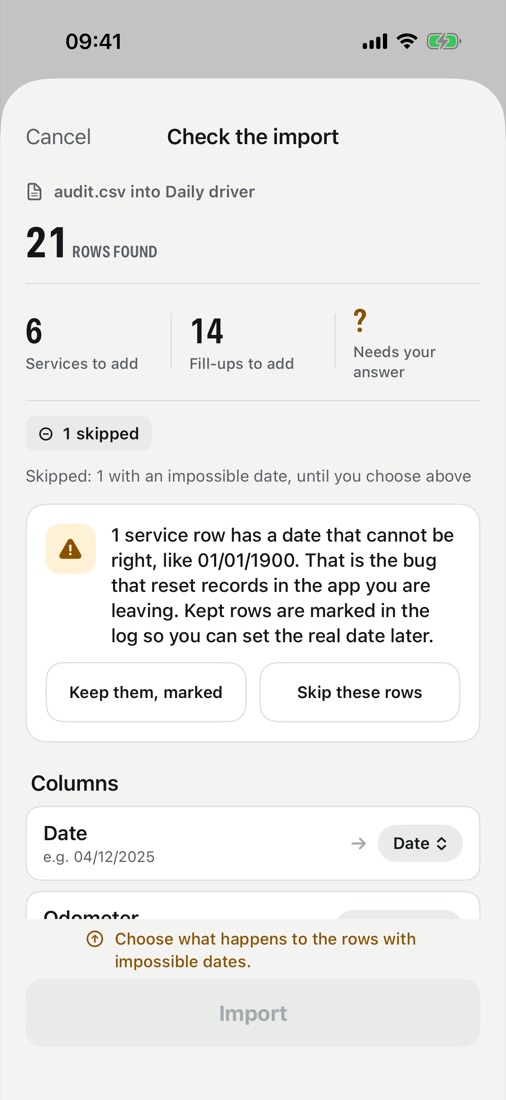
The import check: 21 rows found, 6 services and 14 fill-ups to add, and one row held back because its date reads 01/01/1900
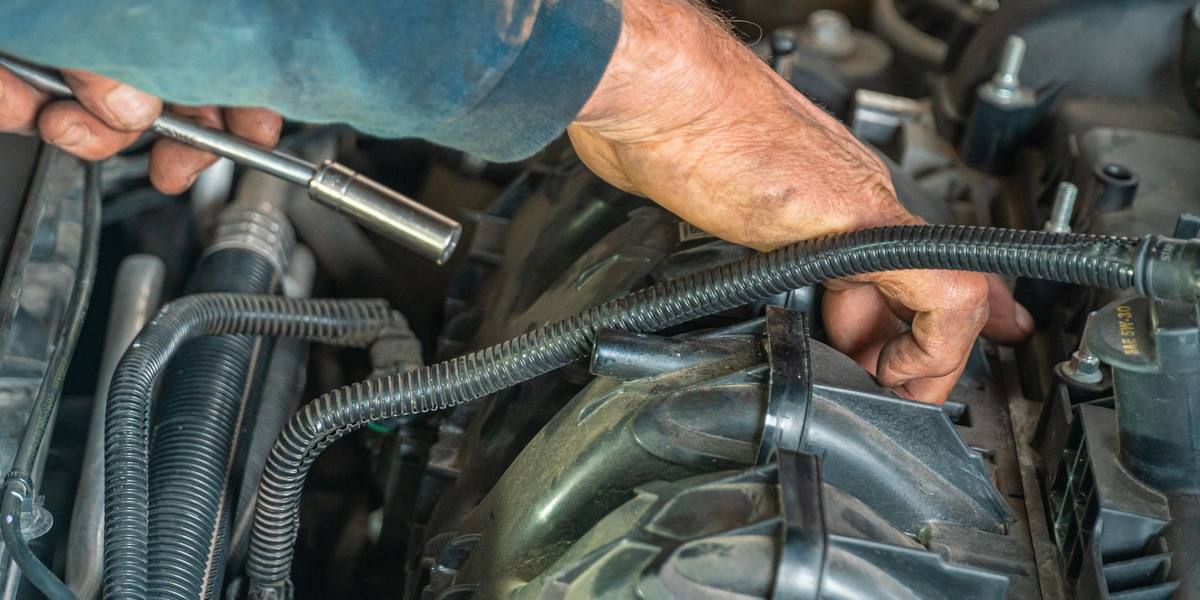
A mechanic's hands working a socket wrench under the hood of a car

Every oil change.
Every fill-up.
Every mile.

What it does

Everything your car has had done.

The odometer up top, what you spent this year, and the next service before it is due.

  1. 01

    Fuel economy, tank to tank

    Worked out the careful way: a partial fill carries over to the next full tank, and a missed fill-up never turns into a 70 mpg tank.

    32.1MPG AVG
  2. 02

    Reminders that count both ways

    A service comes due by date or by distance, whichever arrives first.

  3. 03

    Services with the details that matter

    Date, odometer, cost and notes for every job, grouped by year, with the costs lined up so a column of them reads at a glance.

  4. 04

    Miles, kilometers or engine hours

    Gallons or liters too. A mower, a generator or a boat logs on its hour meter.

  5. 05

    Export is free, always

    Every vehicle exports to CSV from the share sheet, on the free version too. Once a week Oilnote also writes a fresh copy to iCloud Drive or Files, and keeps the last ten.

  6. 06

    No account. Nothing collected.

    Records live on your iPhone and in your own iCloud. No server, no analytics, no third-party code.

A look inside

Built like a dashboard.

Big numbers you can read at a glance, the way a gauge cluster shows them: last tank, this year's spending, the next job and how far away it is.

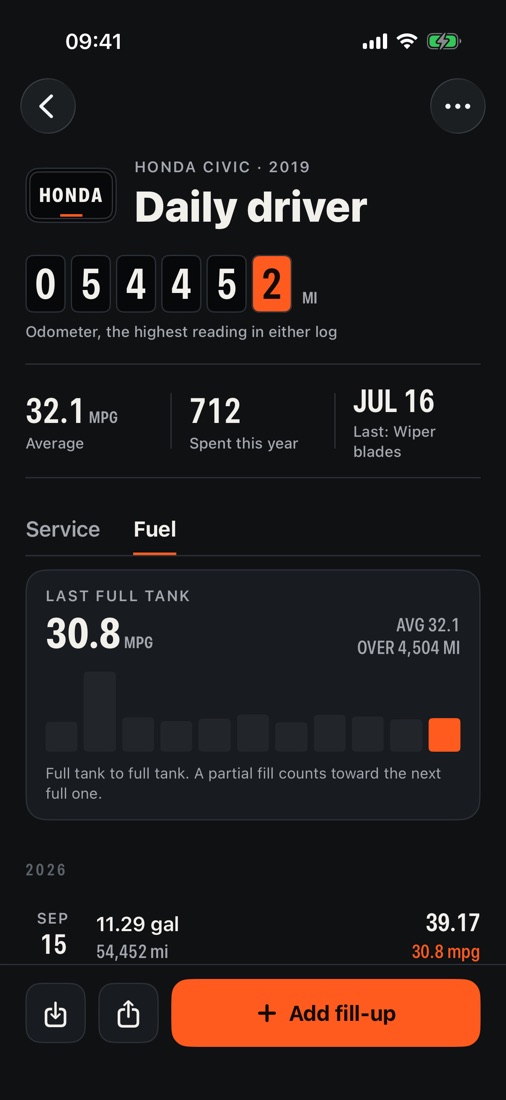
  1. 01Fuel logEvery tank charted, partial fills carried over
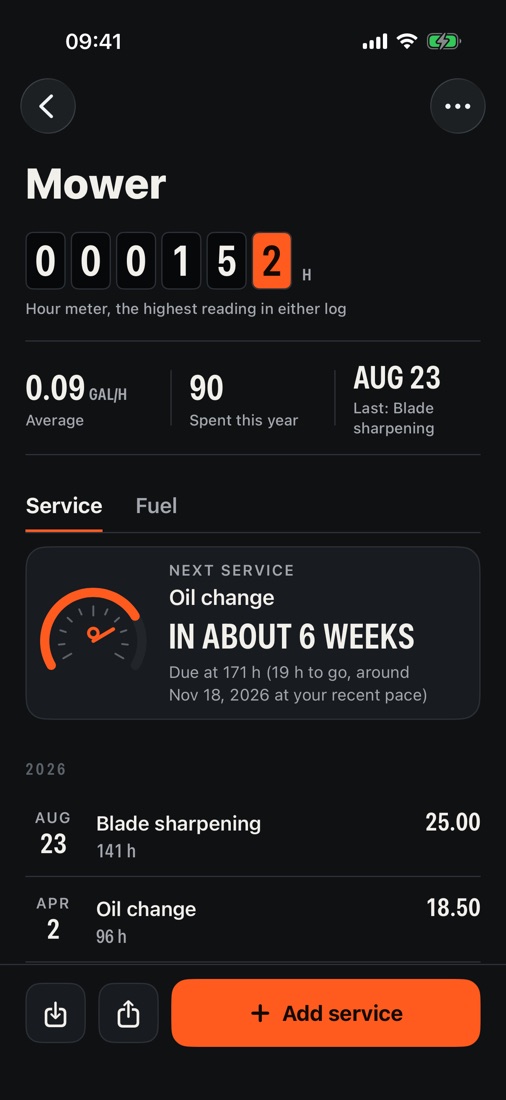
  2. 02Engine hoursA mower or a boat, with services due in hours
Fuel log: last full tank 30.8 mpg, a bar chart of recent tanks, and fill-ups with gallons and cost
A mower logged on its hour meter, with the next oil change due in about six weeks

Price

Pay once. Or don't.

No subscription, now or later. The free version is a complete log for one vehicle, and leaving is free either way.

Free

$0

  • One vehicle
  • Services, fill-ups and reminders
  • Fuel economy and spending
  • CSV export and weekly backup

Your records.
Your file. Soon.

Oilnote is getting ready for the App Store. It arrives on iPhone first, for iOS 17 and later.

Coming soon